
This is my cluster’s current look. Most of its components are in a small open-frame rack under my desk. The rack has an MS-01 mini workstation, a network-attached storage device (NAS), a switch, a brush panel, and the usual power and cabling bits. I also have an old laptop and a desktop with a GPU sitting outside the rack. Those machines act as Proxmox hosts, and the Kubernetes nodes run in virtual machines (VMs) provisioned in this Proxmox cluster.
Mini server rack#
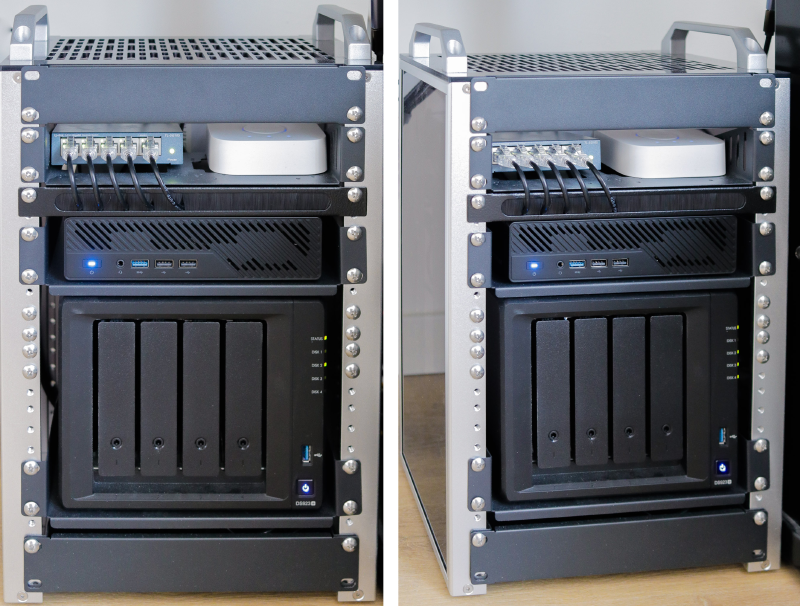
I used to keep all my media, photos, files, apps, and VMs on a single desktop computer. Later, I added a NAS to centralize my data, simplify backups, and make sharing between devices on the network easier. I then added more compute nodes—a laptop and a Minisforum MS-01—and tied everything together into a cluster. As the setup grew, the physical layout became cluttered. Cables and machines ended up wherever they happened to fit, with no real structure. To bring some order to it all, I bought a 10-inch open-frame rack.
Most of the hardware I care about is now in that frame. The laptop and desktop are still part of the cluster, but they do not physically fit in the rack, so they stay outside it for now. My intention is to eventually replace them with more mini workstations that can all fit into the rack. Because it is open, I have not needed rack fans. If I want to move it, I can unplug one power cable and one network cable and lift the whole thing out.
I could stack another section later if I need more height. For now there is still some empty space, leaving room for airflow and future components, rather than filling every gap with gear I do not actually need. The NAS sits on a shelf, and a small brush panel keeps the network cables managed. None of this is especially exciting, but that is kind of the point. It is much easier to maintain when I can see what is plugged in and move things around without fighting a knot of cables.
Compute nodes#
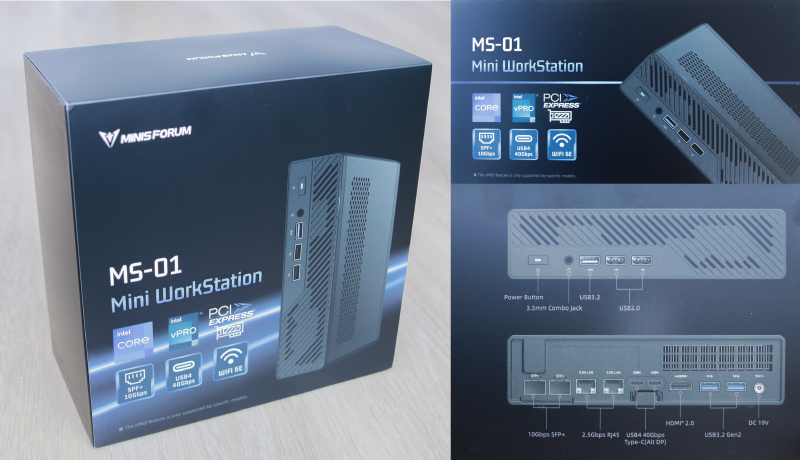
The MS-01 is currently the main machine in the rack. It has enough resources to run the cluster VMs while still leaving room for the occasional Linux or Windows guest when I need one. The desktop is the second Proxmox node. With a GPU, I used it for occasional local training or inference jobs. It has plenty of memory and storage, and is well capable of running Kubernetes nodes. The laptop is an old daily driver that I no longer use for that purpose. Its main job now is to keep Proxmox quorum, without running any Kubernetes guests. It is quiet and low power, so it still has a place in the setup.
Kubernetes in Proxmox#

Each physical machine is a Proxmox host. The Kubernetes nodes are VMs running on those hosts. Running Kubernetes this way keeps the hardware layer separate from the cluster. I can create, resize, or throw away a Kubernetes node without touching the physical machines. It also lets me run other VMs next to the cluster when I need to install something separately. The hosts are not identical, and that is fine. Mixed hardware is normal in a Kubernetes cluster. Node selectors, taints, and labels exist for exactly this kind of thing.
Ongoing cost#
I track the rack with a smart plug, so I can see the actual wattage over time. The MS-01 is efficient for the amount of performance it gives me, and the NAS is designed to be reasonably power-friendly as well. Compared with running a similar setup in the cloud, the ongoing cost is much easier to justify. Managed Kubernetes means paying for the control plane, nodes, storage, and traffic. With my server rack, I already own the hardware, and the main recurring cost is electricity.
That said, I know this hobby can get expensive over time because of the urge to buy new hardware and upgrade the server rack if I see something interesting. I will keep track of it and will have a future post if something changes.